

Overview
Connect your own server to doploy via SSH. Available on Pro plan and enterprise. Note: Starter plan users must use doploy-managed servers.Requirements
Supported Operating Systems:- Ubuntu 24.04 LTS
- Ubuntu 22.04 LTS
Step 1: Open Add Server Modal
From your project’s Servers page, click “Add Server” and select “Bring Your Own Server”.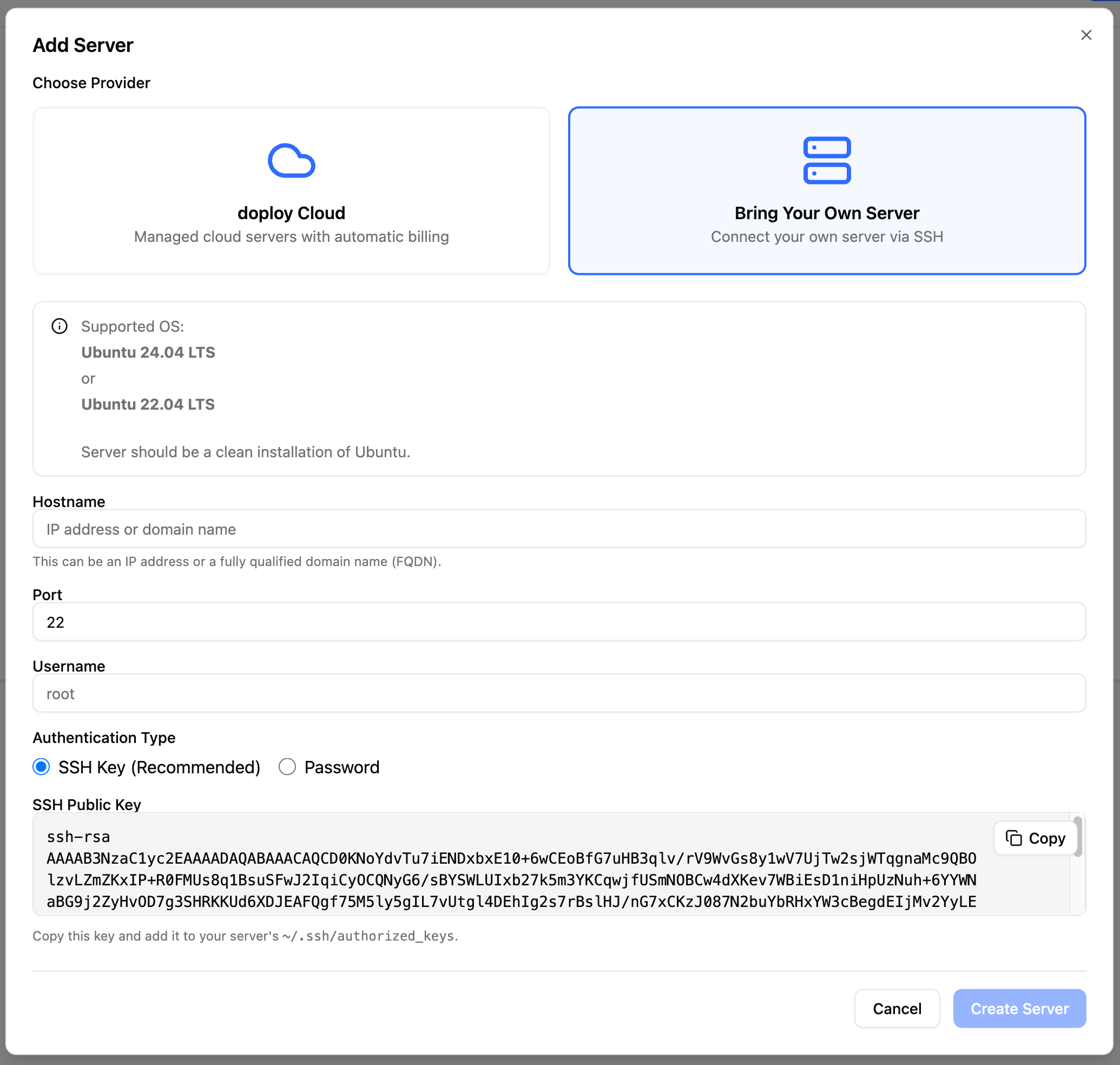
Step 2: Configure Server Details
Fill in your server connection details: Hostname - Your server’s IP address or fully qualified domain name (FQDN)
Port - SSH port (default: 22)
Username - SSH username with sudo access
Hostname - Your server’s IP address or fully qualified domain name (FQDN)
Port - SSH port (default: 22)
Username - SSH username with sudo access
Step 3: Choose Authentication Method
Option 1: SSH Key (Recommended)
Copy the displayed public SSH key shown and add it to your server’s~/.ssh/authorized_keys file.
Option 2: Password
Enter your SSH password. We recommend using SSH keys for better security.Step 4: Create Server
Click “Create Server” to connect. doploy will:- Verify SSH connection
- Install required dependencies
- Configure the server for Odoo deployments