> ## Documentation Index
> Fetch the complete documentation index at: https://docs.doploy.io/llms.txt
> Use this file to discover all available pages before exploring further.
# Reset Admin Password
> Reset your Odoo administrator password
## Overview
Reset your Odoo admin password by logging in as the admin user through doploy's "Connect As" feature, then changing the password from within Odoo.
## Step 1: Select Your Instance
From your project's deployments page, select the instance where you need to reset the admin password.
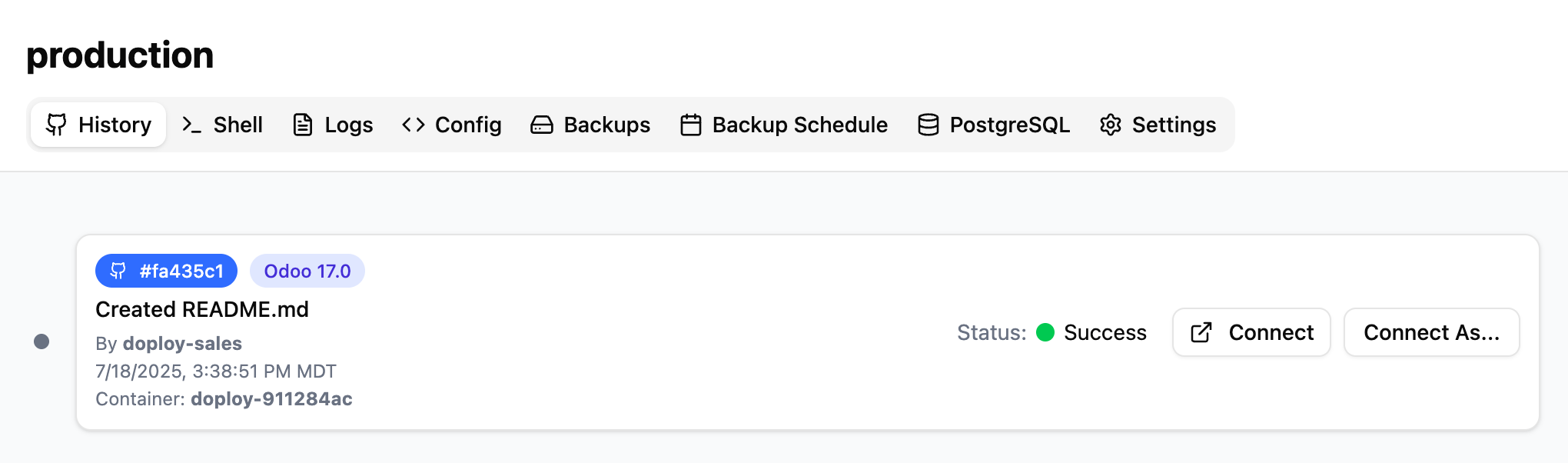
## Step 2: Click "Connect As"
In the History tab, click the "Connect As..." button for your running instance.
 ## Step 3: Select Admin User
In the modal that appears, select "Administrator" or "admin" from the dropdown and click "Login".
## Step 3: Select Admin User
In the modal that appears, select "Administrator" or "admin" from the dropdown and click "Login".
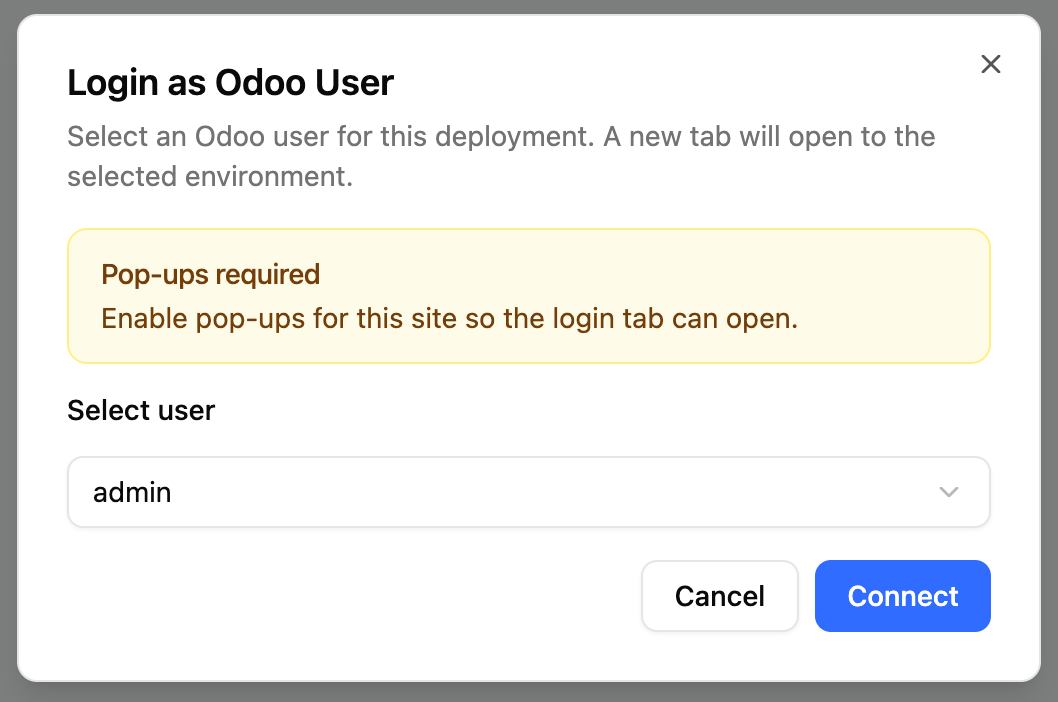 A new tab will open with you logged in as the admin user.
## Step 4: Change Password in Odoo
Once logged into Odoo:
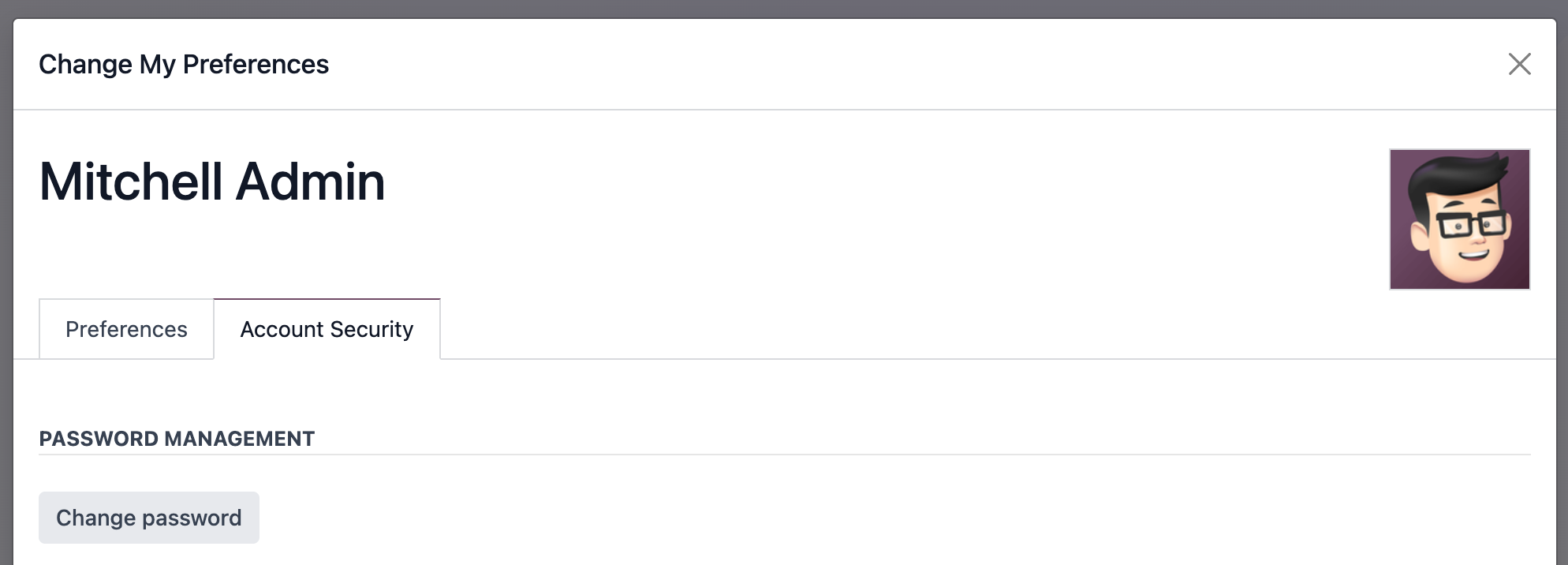
1. Click your user avatar in the top-right
2. Select "Preferences"
3. Click "Account Security" tab
4. Click "Change Password"
5. Enter your new password
6. Click "Confirm Password" to save
A new tab will open with you logged in as the admin user.
## Step 4: Change Password in Odoo
Once logged into Odoo:
1. Click your user avatar in the top-right
2. Select "Preferences"
3. Click "Account Security" tab
4. Click "Change Password"
5. Enter your new password
6. Click "Confirm Password" to save
 ## Next Steps
* [Connect via SSH](/managing-odoo/ssh-connection) for advanced administration
* [Set up staging instance](/managing-odoo/staging-instance) to test changes safely
## Next Steps
* [Connect via SSH](/managing-odoo/ssh-connection) for advanced administration
* [Set up staging instance](/managing-odoo/staging-instance) to test changes safely