> ## Documentation Index
> Fetch the complete documentation index at: https://docs.doploy.io/llms.txt
> Use this file to discover all available pages before exploring further.
# DNS Setup
> Configure DNS to point your domain to your doploy instance
## Step 1: Select Your Instance
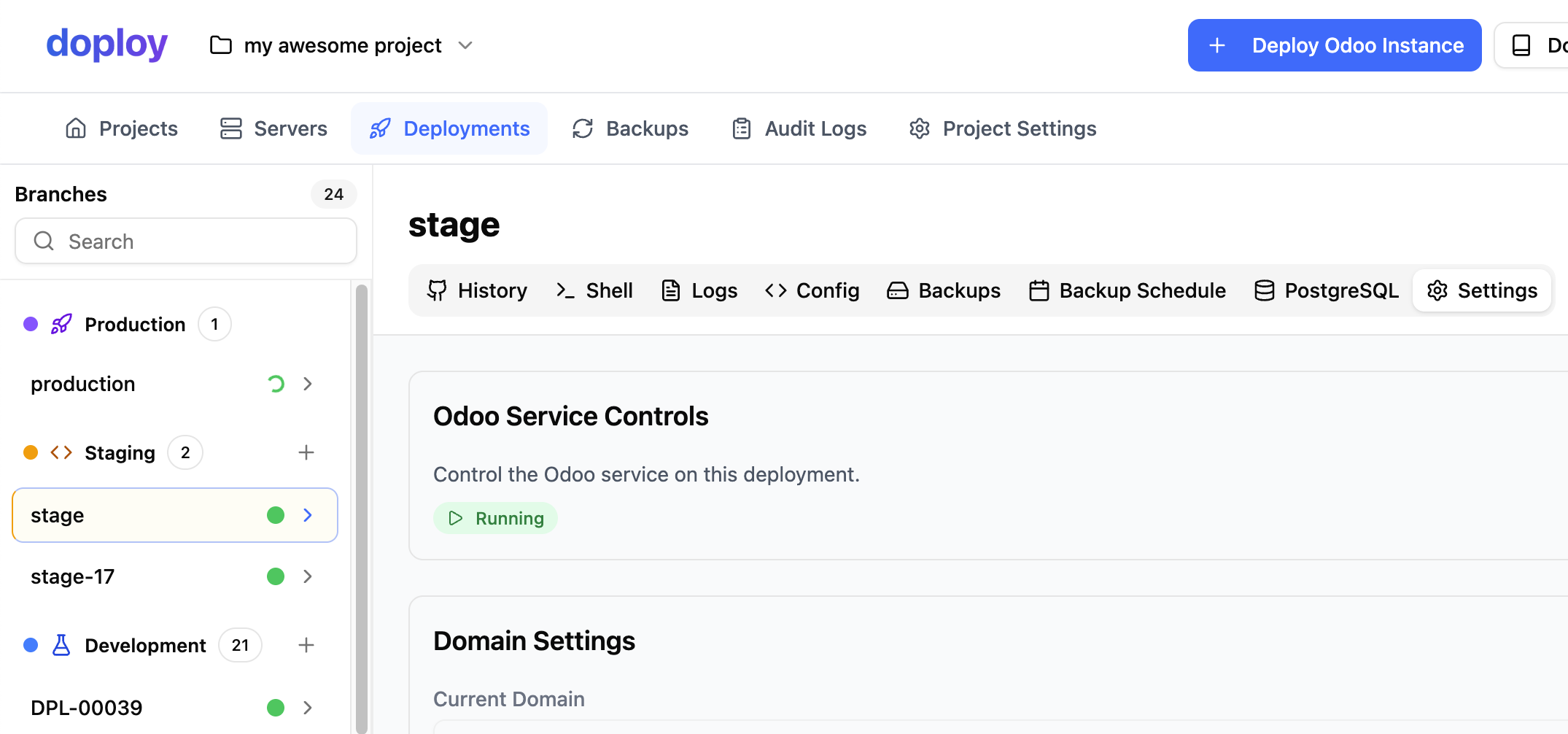
From your project dashboard, select the instance you want to configure DNS settings for.
 ## Step 2: Access Domain Settings
Navigate to the instance settings and go to the "Domain" section.
## Step 2: Access Domain Settings
Navigate to the instance settings and go to the "Domain" section.
 ## Step 3: Configure Your Domain
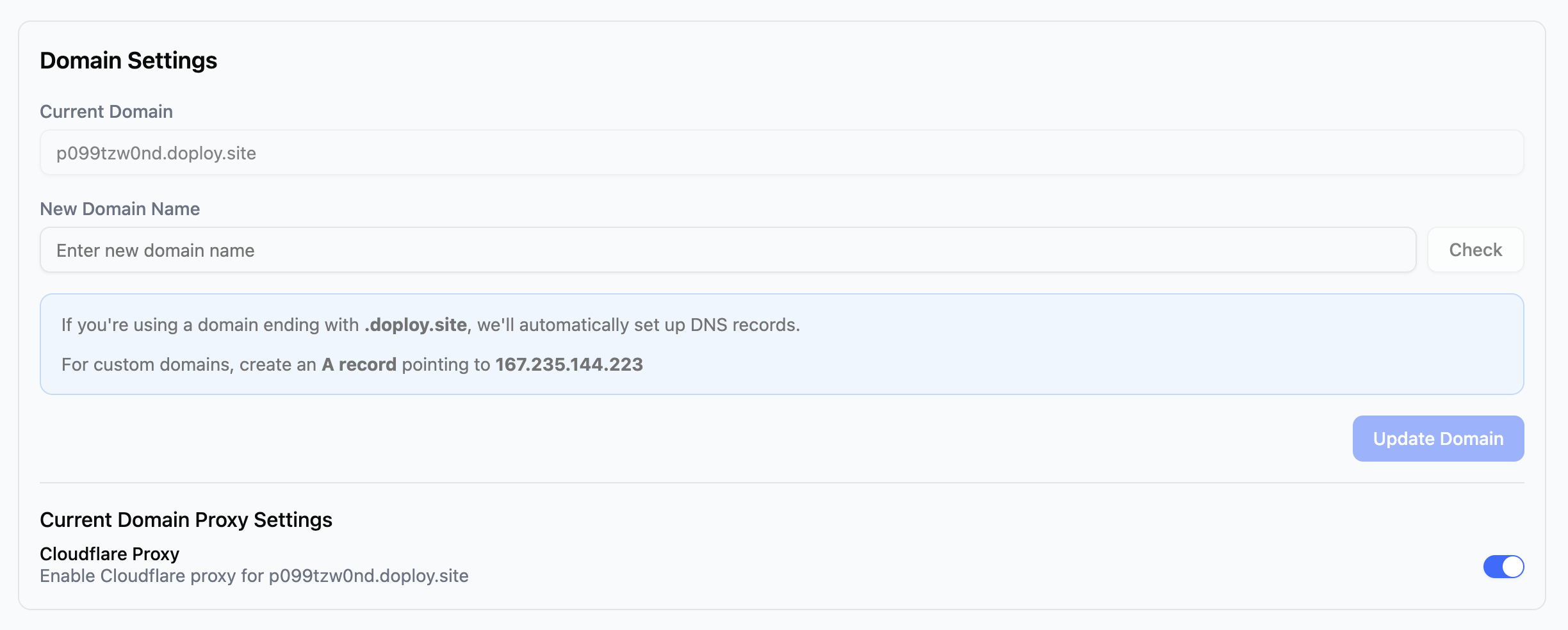
You have two options:
### Option 1: Use a Free doploy Subdomain
Use any available `{your-name}.doploy.site` domain at no cost. Simply enter your desired subdomain name and save.
### Option 2: Use Your Own Custom Domain
If you want to use your own domain:
1. **Get your instance IP address** - This is shown in the domain settings
2. **Create an A record** in your domain's DNS settings:
```
Type: A
Name: @ (or your subdomain)
Value: [Your Instance IP Address]
TTL: 3600
```
3. **Save your changes** - DNS propagation can take up to 48 hours, but usually completes within a few minutes
## Cloudflare Proxy
If you're using a `{your-name}.doploy.site` domain, the **Cloudflare Proxy** option is enabled by default. This provides additional protection for your instance including DDoS protection and caching.
You can disable the Cloudflare Proxy if needed, but we recommend keeping it enabled for the added security and performance benefits.
## Need Help?
If you need assistance configuring your DNS settings, contact doploy support and we'll help you get set up.
## Next Steps
Once your DNS is configured, you can [set up automatic backups](/getting-started/backup-schedule).
## Step 3: Configure Your Domain
You have two options:
### Option 1: Use a Free doploy Subdomain
Use any available `{your-name}.doploy.site` domain at no cost. Simply enter your desired subdomain name and save.
### Option 2: Use Your Own Custom Domain
If you want to use your own domain:
1. **Get your instance IP address** - This is shown in the domain settings
2. **Create an A record** in your domain's DNS settings:
```
Type: A
Name: @ (or your subdomain)
Value: [Your Instance IP Address]
TTL: 3600
```
3. **Save your changes** - DNS propagation can take up to 48 hours, but usually completes within a few minutes
## Cloudflare Proxy
If you're using a `{your-name}.doploy.site` domain, the **Cloudflare Proxy** option is enabled by default. This provides additional protection for your instance including DDoS protection and caching.
You can disable the Cloudflare Proxy if needed, but we recommend keeping it enabled for the added security and performance benefits.
## Need Help?
If you need assistance configuring your DNS settings, contact doploy support and we'll help you get set up.
## Next Steps
Once your DNS is configured, you can [set up automatic backups](/getting-started/backup-schedule).